Python3 Loop Statements
This section introduces the use of Python loop statements.
Python has two loop statements: for and while.
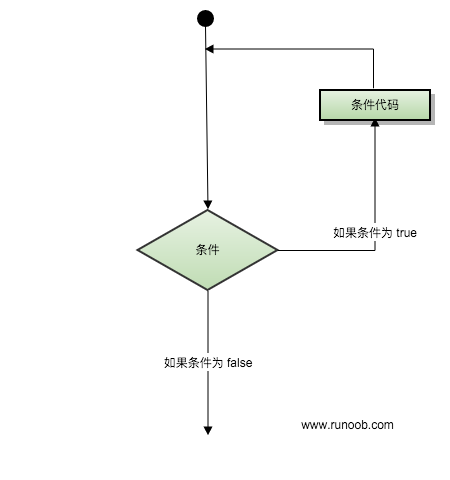
The control structure diagram of Python loop statements is shown below:
Loop Control Keywords and Methods
Section titled “Loop Control Keywords and Methods”| Keyword / Function | Description | Example |
|---|---|---|
for |
Iteration loop, used to traverse sequences or iterable objects | for i in list: |
while |
Conditional loop, continuously executes while the condition is True | while x > 0: |
break |
Immediately terminates the current loop | break |
continue |
Skips the remaining code of the current iteration and proceeds to the next iteration | continue |
else (loop) |
Executes when the loop ends normally (not terminated by break) | for i in range(3): ... else: ... |
pass |
Placeholder statement in a loop (no operation) | for i in range(5): pass |
range() |
Generates integer sequences, often used with for loops | range(0, 5) |
enumerate() |
Gets both index and value while traversing | for i, v in enumerate(list): |
while Loop
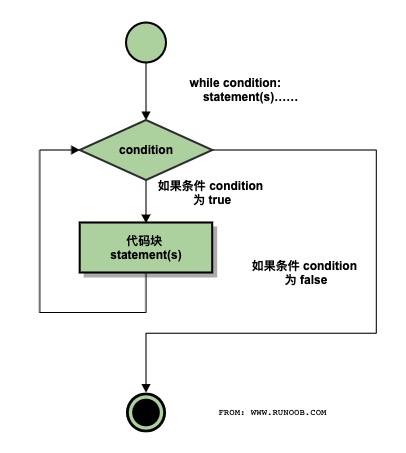
Section titled “while Loop”The general form of a while statement in Python:
The execution flow diagram is as follows:
Execution Gif demonstration:
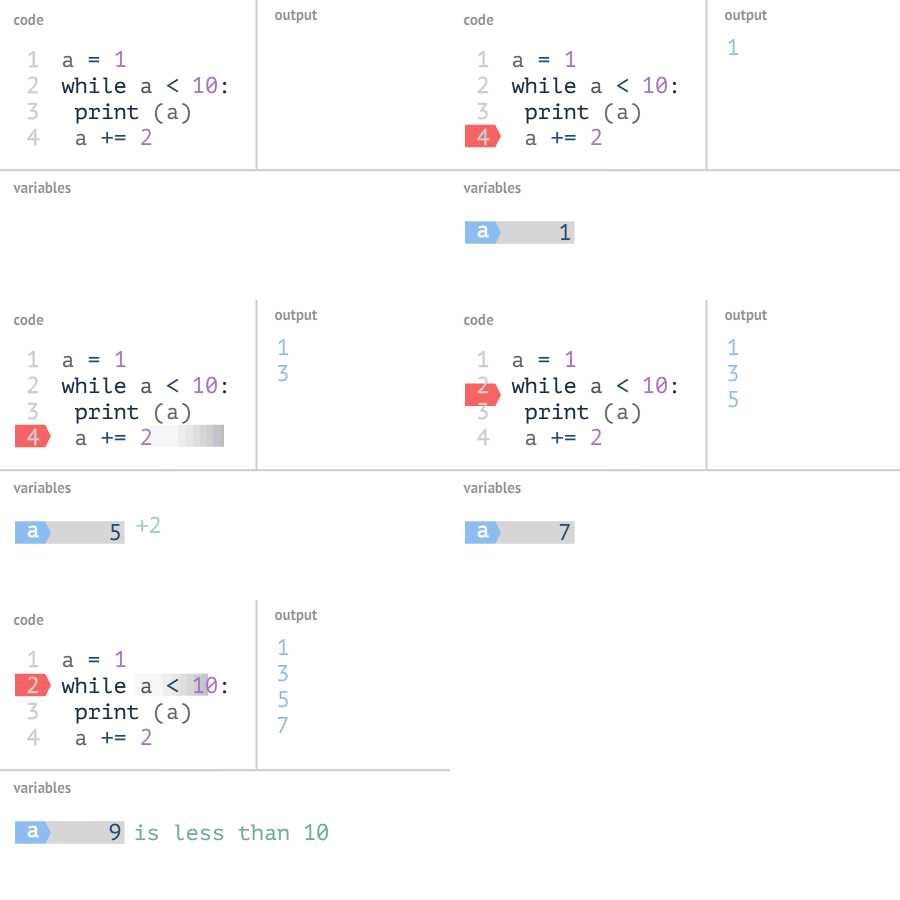
Also, note the colon and indentation. Additionally, Python does not have a do..while loop.
The following example uses while to calculate the sum from 1 to 100:
Example
Section titled “Example”Execution result:
Infinite Loop
Section titled “Infinite Loop”We can implement an infinite loop by setting the conditional expression to never be false, as shown in the example below:
Example
Section titled “Example”Executing the above script produces the following output:
You can use CTRL+C to exit the current infinite loop.
Infinite loops are very useful for real-time client requests on servers.
while Loop with else Statement
Section titled “while Loop with else Statement”If the condition after while is false, the else statement block is executed.
Syntax format:
If the expr condition is true, the statement(s) block is executed. If false, additional_statement(s) is executed.
Loop to output numbers and determine their size:
Example
Section titled “Example”Executing the above script produces the following output:
Simple Statement Group
Section titled “Simple Statement Group”Similar to the syntax of if statements, if your while loop body has only one statement, you can write that statement on the same line as while, as shown below:
Example
Section titled “Example”Note: For the above infinite loop, you can use CTRL+C to interrupt the loop.
Executing the above script produces the following output:
for Statement
Section titled “for Statement”Python for loops can iterate over any iterable object, such as a list or a string.
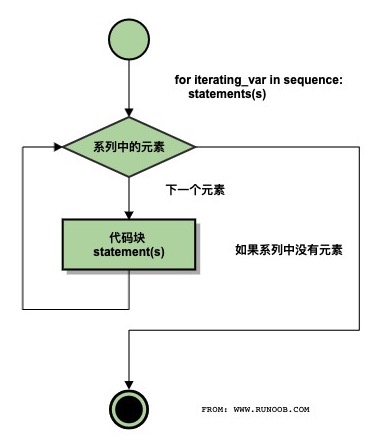
The general format of a for loop is as follows:
Flowchart:
Python for loop example:
Example
Section titled “Example”Output of the above code:
It can also be used to print each character in a string:
Example
Section titled “Example”Output of the above code:
Integer range values can be used with the range() function:
Example
Section titled “Example”Output of the above code:
for…else
Section titled “for…else”In Python, the for…else statement is used to execute a block of code after the loop ends.
Syntax format:
When the loop finishes executing (i.e., after iterating through all elements in iterable), the code in the else clause is executed. If a break statement is encountered during the loop, the loop is interrupted and the else clause is not executed.
Example
Section titled “Example”After executing the script, the output is:
The following for example uses a break statement. The break statement is used to jump out of the current loop body, and the else clause will not be executed:
Example
Section titled “Example”After executing the script, the loop body will be exited when encountering “Runoob”:
range() Function
Section titled “range() Function”If you need to iterate over a sequence of numbers, you can use the built-in range() function. It generates a sequence of numbers, for example:
Example
Section titled “Example”You can also use range() to specify a range of values:
Example
Section titled “Example”You can also make range() start at a specified number and specify a different increment (which can even be negative, sometimes called a ‘step’):
Example
Section titled “Example”Negative numbers:
Example
Section titled “Example”You can combine the range() and len() functions to iterate over the indices of a sequence, as shown below:
Example
Section titled “Example”You can also use the range() function to create a list:
Example
Section titled “Example”For more on the range() function, refer to: https://www.runoob.com/python3/python3-func-range.html
break and continue Statements and the else Clause in Loops
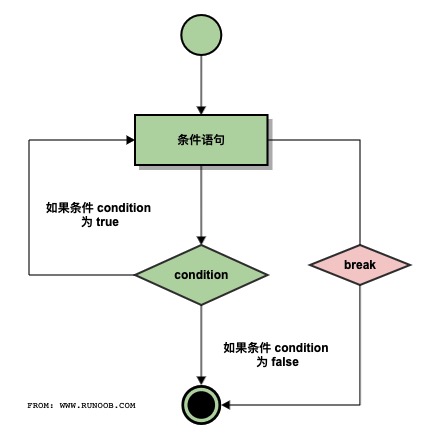
Section titled “break and continue Statements and the else Clause in Loops”break execution flowchart:
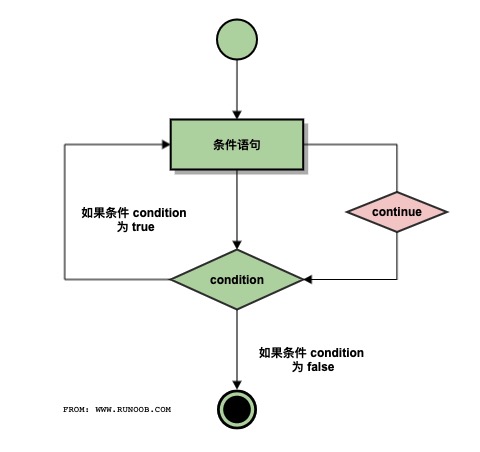
continue execution flowchart:
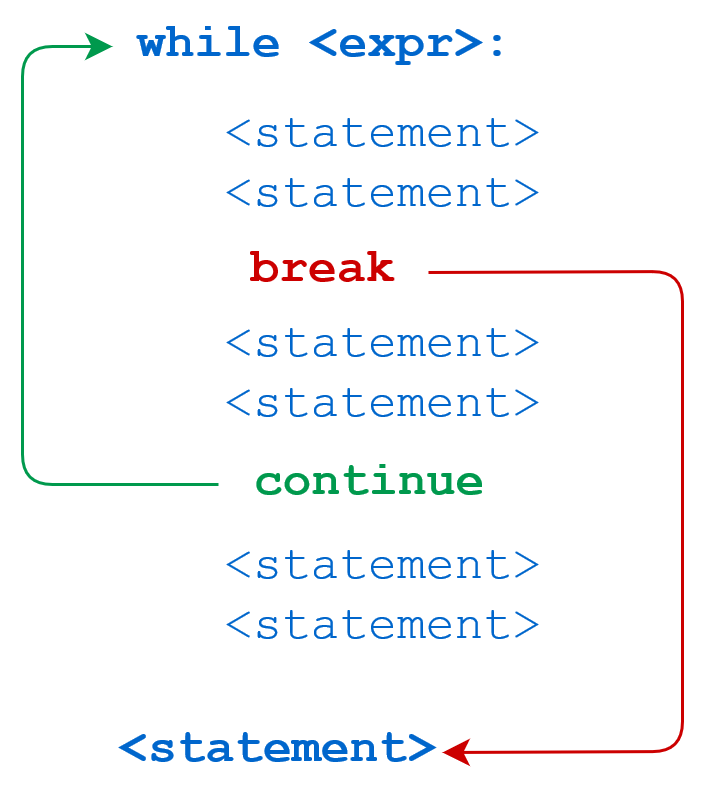
while statement code execution process:
for statement code execution process:
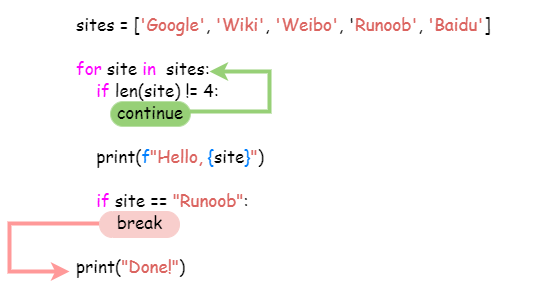
The break statement can jump out of both for and while loop bodies. If you terminate from a for or while loop, any corresponding loop else block will not be executed.
The continue statement is used to tell Python to skip the remaining statements in the current loop block and then proceed to the next iteration.
Example
Section titled “Example”Using break in while:
Example
Section titled “Example”Output:
Using continue in while:
Example
Section titled “Example”Output:
More examples:
Example
Section titled “Example”Output of the above script:
The following example loops through the string Runoob and skips output when encountering the letter o:
Example
Section titled “Example”Output of the above script:
Loop statements can have an else clause, which is executed when the loop is exhausted (for a for loop) or the condition becomes false (for a while loop), but not when the loop is terminated by break.
The following example is a loop for finding prime numbers:
Example
Section titled “Example”Output of the above script:
pass Statement
Section titled “pass Statement”Python’s pass is an empty statement, used to maintain the structural integrity of the program.
pass does nothing and is generally used as a placeholder statement, as shown in the example below:
Example
Section titled “Example”Minimal class:
Example
Section titled “Example”The following example executes a pass statement block when the letter is o:
Example
Section titled “Example”Output of the above script: