Python3 JSON Data Parsing
JSON (JavaScript Object Notation) is a lightweight data interchange format.
If you are not familiar with JSON, you can first read our JSON Tutorial.
In Python3, you can use the json module to encode and decode JSON data. It includes two functions:
- json.dumps(): Encodes data.
- json.loads(): Decodes data.
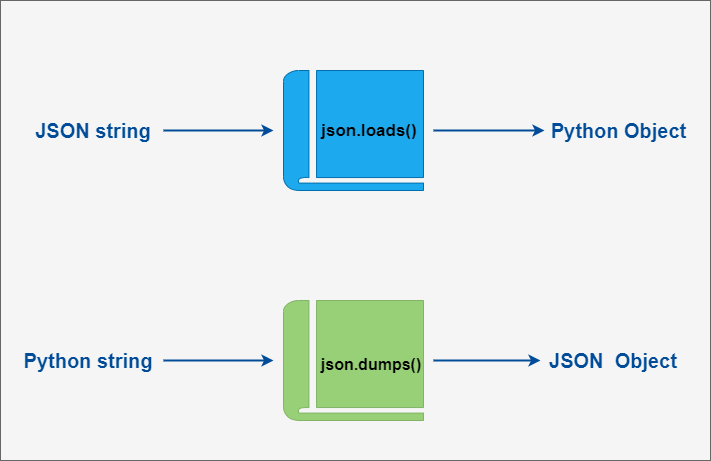
During the encoding and decoding process of JSON, Python’s primitive types and JSON types are converted to each other. The specific conversion mappings are as follows:
Python Encoded to JSON Type Conversion Table:
Section titled “Python Encoded to JSON Type Conversion Table:”| Python | JSON |
|---|---|
| dict | object |
| list, tuple | array |
| str | string |
| int, float, int- & float-derived Enums | number |
| True | true |
| False | false |
| None | null |
JSON Decoded to Python Type Conversion Table:
Section titled “JSON Decoded to Python Type Conversion Table:”| JSON | Python |
|---|---|
| object | dict |
| array | list |
| string | str |
| number (int) | int |
| number (real) | float |
| true | True |
| false | False |
| null | None |
json.dumps and json.loads Examples
Section titled “json.dumps and json.loads Examples”The following example demonstrates converting Python data structures to JSON:
Example (Python 3.0+)
Section titled “Example (Python 3.0+)”Output of the above code:
From the output results, you can see that simple types after encoding are very similar to their original repr() output.
Continuing from the above example, we can convert a JSON-encoded string back to a Python data structure:
Example (Python 3.0+)
Section titled “Example (Python 3.0+)”Output of the above code:
If you are dealing with files instead of strings, you can use json.dump() and json.load() to encode and decode JSON data. For example:
Example (Python 3.0+)
Section titled “Example (Python 3.0+)”For more information, please refer to: https://docs.python.org/3/library/json.html